
18+ NSFW
Mature content ahead
Masterstroke is an adult-oriented modlist intended for players aged 18 or older. By entering you confirm that you meet your local age of majority and consent to viewing mature content.
Installation issues
Whenever Wabbajack failed the installation, first close Wabbajack and simply try restarting Wabbajack a second time.
If it still fails the installation, these are the most common issues:
Unable to download Skyrim_Default.ini
- Open your Steam library
- Right click The Elder Scrolls V: Skyrim Special Edition, and choose "Properties..."
- Set Language to English
If that didn't resolve the issue try the next solution below
Missing game file Data_ccbgssse037-curios.bsa (and other game files)
- In your Steam installation folder for Skyrim, go into the Data folder
- Delete
Data_ccbgssse037-curios.bsaandData_ccbgssse037-curios.esl - Open your Steam library
- Right click The Elder Scrolls V: Skyrim Special Edition, and choose "Properties..."
- Open the tab "Installed files"
- Click on "Verify integrity of game files".
- Restart Wabbajack.
All downloads from Nexus mods failed
- Open the settings in wabbajack.
- Click logout for Nexus Mods
- Click login for Nexus Mods
- You might have to wait 10 minutes before you can retry.
Failed downloads from Mega/Mediafire/GoogleDrive:
- ZaZ Animation Pack+ CBBE HDT V.8.0+SE2023.7z: [Mega]
- Bears of the North MNC ABC.7z: [Mega]
- [Cloud] Layered Gowns - 3BA.zip: [Mediafire]
- High Poly Head v1.4 (SE).zip: [Google Drive]
- Devious Devices [SE][AE][VR] 5.2.7z: [Google Drive]
Failed downloads from Loverslab:
- Sign in at the top left corner of https://www.loverslab.com
- Manually download the Lover's Lab Mods.
- Place the file(s) in the download folder. Overwrite the downloads if they already exist. And do NOT unpack them.
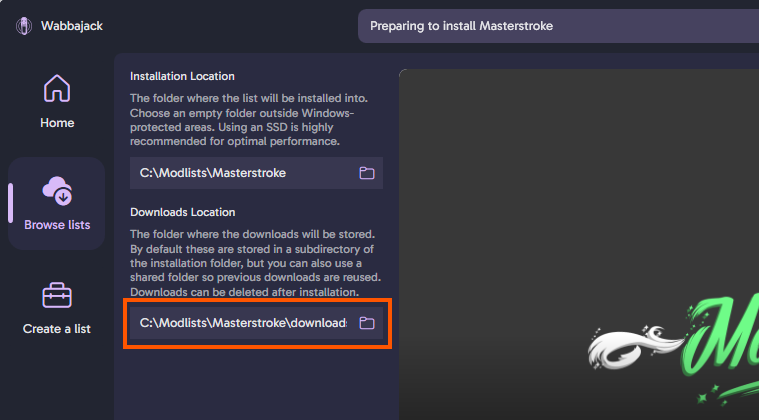
- Restart Wabbajack, and make sure that the download location matches the folder you placed the downloads in.
Could not find a part of the path '...\TEMP_BSA_FILES...'
- Close wabbajack
- Make sure you still have space available.
Having an extra 30GB or more available during the install will reduce the chance of BSA's failing. - Restart wabbajack.
Files are corrupted when hashing
- Check that your drive isn't full
- Delete the corrupted files, and restart Wabbajack.
- If the files keep getting corrupted it's possible an antivirus is interfering.
There are several different antivirus programs that can cause issues with Wabbajack installs and running the mod lists. Please see the additional information on Antivirus Troubleshooting at the bottom of the FAQ page. or click HERE.
SKS Plugin Loader error: A DLL plugin has failed ...
- First try simply closing and opening Mod Organizer again.
- Make sure you've installed the hard requirements from Step 1: Preparations. Then restart your PC.
- If you have a 3rd party antivirus, aside from Windows Defender, you might have to add Masterstroke as exclusion. (Read Antivirus troubleshooting for more info).
- Open MO2, and select the Data tab on the right side. Search for the filename that was mentioned in the error message, right click, reveal in explorer and delete the file.
- Restart Wabbajack.
Modorganizer does not open and creates .dmp files
- Install the c++ redist version listed as requirement in Step 1: Preperation
- Restart your PC