
18+ NSFW
Mature content ahead
Masterstroke is an adult-oriented modlist intended for players aged 18 or older. By entering you confirm that you meet your local age of majority and consent to viewing mature content.
Updating or Resetting
When you want to update or reset Masterstroke (if something broke) you don't have to do the whole installation again. But keep the following in mind:
- Most Masterstroke updates will require a new game as specified in the changelog.
- If you made your own character preset and want to use it again. Make sure to back it up to another folder outside of your install before running Wabbajack.
Your preset(s) will be located in the folder:
Masterstroke\mods\Files Generated during playsessions launched with SKSE\SKSE\Plugins\CharGen\Presets\ - Wabbajack shouldn't delete your saves, but you can backup the saves regardless. Depending on which profile you selected, they're located in one of the two folders:
Masterstroke\profiles\Masterstroke\saves
Masterstroke\profiles\Masterstroke (Creature Profile)\saves
To update:
- Start from step 2: installation.
- Redo any customization options you want for step 3: configuration
- When starting a new game: Do step 4: Launching and step 5: MCM & Character Customization as usual.
To reset:
- Open Wabbajack, on the left side click "Browse lists"
- At the top, click on "Install from Disk"
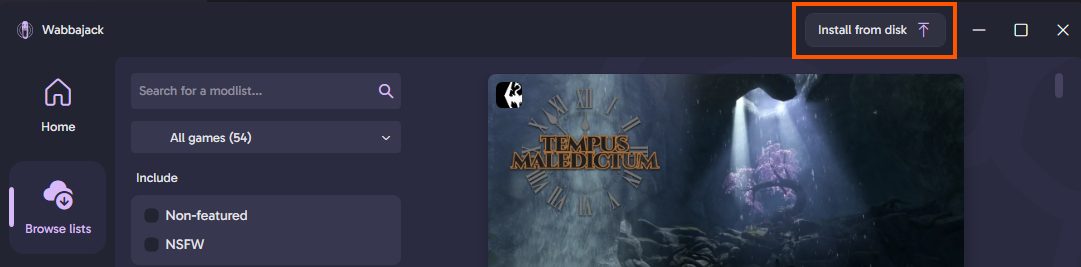
- Navigate to the Wabbajack/4.0.0.3/downloaded_mod_lists/ForgottenGlory_@@_masterstroke.wabbajack file.
(or whichever version you previously used in the wabbajack folder) - Continue from step 2: installation point 7.
- Redo any customization options you want for step 3: configuration
- Load your previous save. Or if you start a new game, do Step 5: MCM & Character Customization as usual.